When you are in the middle of a frontend sprint, nothing breaks your flow like searching for the perfect “dummy” image and you want the placeholder image generator online tools. Whether you’re testing responsive layouts or building out a new WordPress theme, you need images that fit your design not just random stock photos.
That is why we built the Placeholder Image Generator. It is a lightweight, browser-based tool designed to give developers and designers total control over their temporary assets.
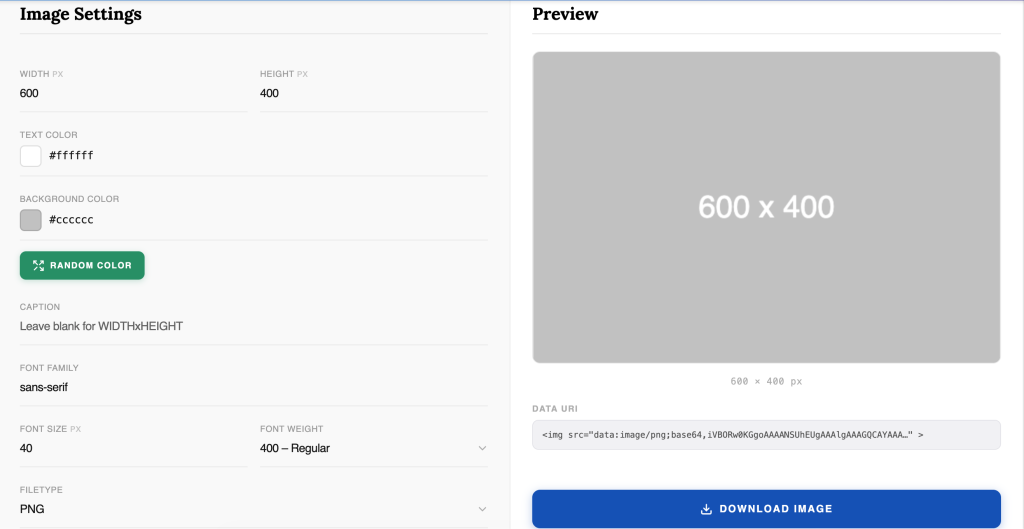
Generic placeholder services often limit you to basic grey boxes with hard-coded text. Our tool puts the design control back in your hands, allowing you to match your project’s aesthetic before the final assets are even ready.
Once your image looks exactly how you want it, you can export it in the format that best suits your performance needs:
Stop settling for boring grey boxes. Head over to the tool and start generating placeholders that actually look like they belong in your design.
1. CSS Gradient Generator
2. Mesh Gradient Generator
3. Box shadow Generator
4. Text Shadow Generator
5. Website Cost Calculator
6. Online Notepad
Don't be sad. We are here for your help. Just request a quote and we will come up for your solution.