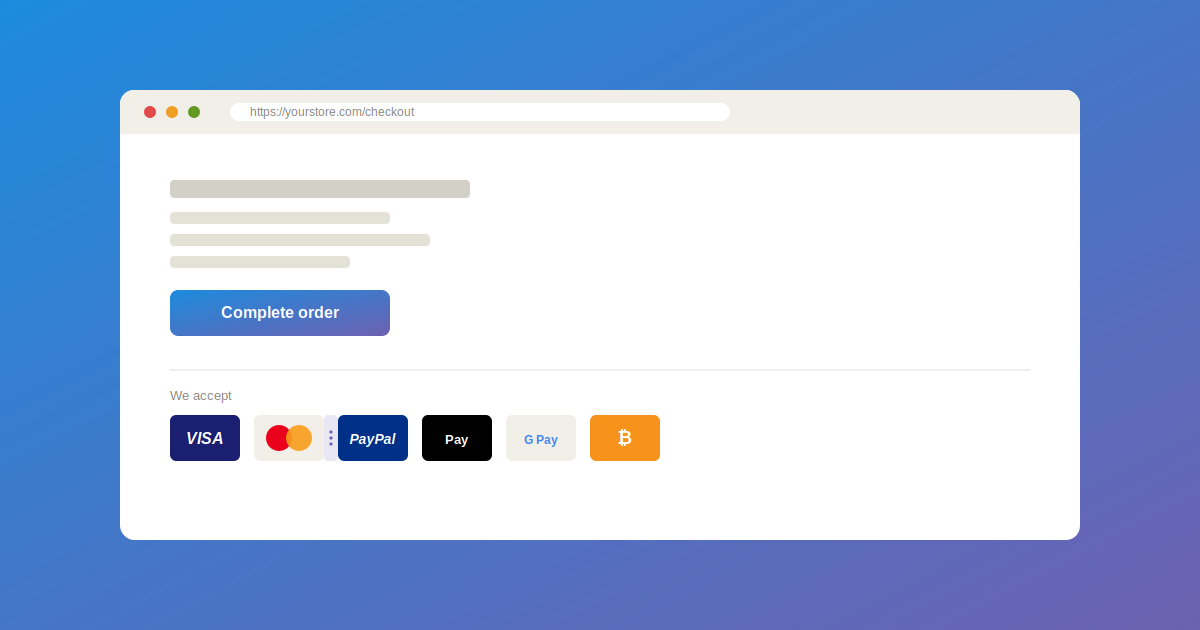
Show Customers the Payment Options They Trust

Accepted Payment Methods

Adding trusted payment icons to a website usually means hunting for logo files, resizing them by hand, or editing template code just to line them up correctly. However, a free plugin called Accepted Payment Methods changes that. It brings a ready-made icon library and a simple settings screen directly into the WordPress dashboard, so site owners can display accepted payment methods in minutes, not hours.

No design skills required

Simple settngs

accepted payment methods

Show Customers the Payment Options They Trust

An accepted payment methods plugin is a tool that displays icons for the payment options a website supports, such as Visa, Mastercard, PayPal, and Google Pay, directly from the WordPress admin area, without editing theme files or writing code. Instead of manually uploading and resizing logo images, site owners can select icons from a built-in library and place them anywhere on the site in seconds.

The Accepted Payment Methods plugin adds a dedicated settings page inside the WordPress dashboard, so the entire icon setup stays in one familiar place. You might also be interested in Best WooCommerce Checkout Plugins to Reduce Cart Abandonment.

Why Store Owners Need This Plugin

Most websites don’t need a full checkout redesign. Instead, site owners usually just want visitors to see, at a glance, which payment methods the store accepts. Unfortunately, sourcing consistent, properly sized payment icons and keeping them aligned isn’t easy without design or development knowledge.

You might be interested as well: Best WooCommerce Checkout Plugins to Reduce Cart Abandonment

As a result, even a simple request like adding a row of payment logos to a footer often turns into a small design project. Therefore, this plugin solves that exact problem by bundling a pre-built icon library and a drag-and-drop settings panel into one beginner-friendly screen.

Key features of the plugin

The plugin adds a new Payment Icons screen inside the WordPress dashboard. From there, control every element below.

Pre-built icon library

Choose from popular payment icons such as Visa, Mastercard, PayPal, Apple Pay, Google Pay, Amazon Pay, and Bitcoin, included directly with the plugin.

Manual icon upload

Upload custom payment or gateway icons in SVG, JPG, PNG, WebP, and other common image formats.

Drag-and-drop ordering

Rearrange the display order of icons with a simple drag-and-drop interface, then save the changes instantly.

Customizable icon size and spacing

Adjust icon dimensions, spacing, and placement to match the rest of the page layout.

Tooltip support

Display the name of each payment method on hover, using a clean, built-in tooltip style.

Shortcode display

Place the icon set anywhere on the site using a simple shortcode, without touching theme files.

Dynamic icon library scanning

Newly uploaded icons are automatically detected and loaded from the plugin’s icon folder, without extra configuration.

What’s New in Version 1.5

Pre-built icon library added, including Visa, Mastercard, PayPal, Apple Pay, Google Pay, Amazon Pay, and Bitcoin.

Dynamic directory scanning automatically loads newly uploaded icons from the assets/icons/ folder.

Switch freely between Manual Upload and Pre-built Library selection modes.

Improved security checks, including manage_options capability checks on AJAX actions.

whats new in accepted payment methods

How to Install the Plugin

To remove the icons from your site, simply delete the shortcode from the page or deactivate the plugin.

Install

Upload the plugin folder to /wp-content/plugins/accepted-payment-methods, or install it directly through the WordPress Plugin Directory.

Activate

Activate the plugin from the Plugins menu.

Customize

Navigate to the Payment Icons screen to select, upload, and arrange your icons.

Frequently Asked Questions

How many icons can I add?

Yes. The plugin supports SVG files natively, so you don’t need to install another plugin to enable SVG support.

Can I change the order of the icons?

Yes. Reordering icons is as simple as dragging them into place and saving the settings.

What is the size and shape of the icons?

You can adjust the icon size directly in the settings. The shape depends on the uploaded file itself.

Can I display the title of the payment methods?

Yes. A tooltip option displays the payment method’s name on hover, styled with clean built-in CSS.

Does this plugin work with all themes, including block themes?

The plugin is built and tested to work with most major themes, though results can vary slightly depending on how individual theme developers structure their code.

What are the plugin’s technical requirements?

The plugin requires WordPress 5.0 or higher and PHP 8.0 or higher, and it has been tested up to WordPress 7.0.4.

Final Thoughts

For site owners who want to display trusted payment icons without hunting for logo files or writing code, this plugin offers a practical solution. It bundles a pre-built icon library, manual upload support, and drag-and-drop ordering into one simple settings screen, so visitors see clear payment information at a glance.

The plugin is available for free on the official WordPress Plugin Directory, where site owners can download it, browse the source code, or follow ongoing updates.


Dewebkiller newsletter

Oh hi there 👋
It’s nice to meet you.

Sign up to receive awesome content in your inbox, every month.

We don’t spam! Read our privacy policy for more info.

Didn't find what you want?

Don't be sad. We are here for your help. Just request a quote and we will come up for your solution.