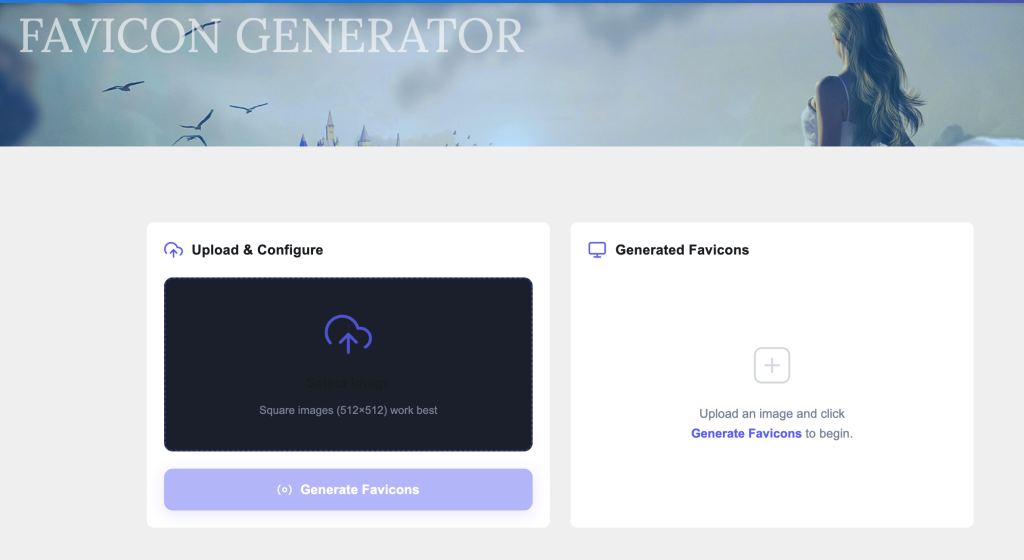
Select Image
Square images (512×512) work best
Upload an image and click
Generate Favicons to begin.
Short for “favorites icon,” a favicon is a small graphic file associated with a particular website or web page. Traditionally, favicons were basic 16×16 pixel .ico files rendered in a web browser’s address bar or bookmarks tab.
In the modern web environment, the definition has scaled exponentially. A favicon is now a comprehensive system of responsive brand assets. It scales across standard desktop browsers, desktop shortcuts, mobile home screen bookmarks (such as Apple Touch Icons), Android launch screens, and application taskbars. Consequently, a modern favicon strategy requires multiple sizes and formats (including .png, .ico, and .svg) to maintain crisp, pixel-perfect rendering across varying display pixel densities (Retina displays, OLED screens).
Failing to provision a comprehensive multi-size favicon suite compromises user experience and weakens brand authority. Implementing a dynamic, multi-device favicon setup delivers immediate operational returns:
Instant Visual Brand Recognition:
In an environment where desktop users routinely open dozens of tabs concurrently, a distinctive favicon ensures your brand remains instantly identifiable, minimizing tab abandonment and lowering bounce rates during multi-session browsing.
Polished Professional Credibility:
Standard modern browsers insert a generic, uninspired “blank document” icon when a site lacks explicit favicon configurations. This visual omission erodes trust, signaling technical neglect and creating security hesitations for discerning users.
Flawless Native App-Like Experience:
When users bookmark your web application or digital storefront to their iOS or Android home screen, modern browser engines leverage high-resolution app icons (such as the 180x180px Apple Touch Icon). Without these, systems display a low-fidelity screenshot of the page, fracturing your visual presentation.
Manually designing, resizing, formatting, and coding dozens of discrete icon files is tedious and prone to formatting errors. Our professional-grade Favicon Generator automates this entire pipeline into a simple, three-step process.
Step 1: Upload Your Source Artwork
Choose a high-resolution, square image file (PNG, JPG, or SVG, ideally sized at 512×512 pixels or greater) and drop it directly into our secure cloud processing area.
Step 2: Automated Multi-Size Processing
Our intelligent rendering pipeline processes the file in real-time, applying optimized anti-aliasing filters to downscale your artwork into a complete zip archive containing every necessary dimension—from 16x16px icons to specialized Apple Touch and Android launch graphics.
Step 3: Deploy Code Snippets
Extract the generated assets into the root folder of your web server. Then, copy and paste the precise HTML metadata snippets generated by our tool directly into the <head> section of your website architecture.
To add a comprehensive, modern favicon system to your website that supports standard browsers, Apple devices, and Android devices, copy and paste the following HTML snippets into the <head> section of your website’s HTML documents.
<head>
    <meta charset="UTF-8">
    <meta name="viewport" content="width=device-width, initial-scale=1.0">
    <title>Your Website Title</title>

    <link rel="icon" type="image/x-icon" href="/favicon.ico">
    <link rel="icon" type="image/png" sizes="16x16" href="/favicon-16x16.png">
    <link rel="icon" type="image/png" sizes="32x32" href="/favicon-32x32.png">
    <link rel="icon" type="image/png" sizes="48x48" href="/favicon-48x48.png">

    <link rel="apple-touch-icon" sizes="180x180" href="/apple-touch-icon.png">

    <link rel="manifest" href="/site.webmanifest">
</head>
While search algorithms do not treat a favicon as a direct ranking factor (such as backlink equity or page speed), its presence heavily dictates the signals that engines utilize to judge page quality, user engagement, and contextual relevance.
Google explicitly renders favicons alongside URL snippets on both desktop and mobile Search Engine Result Pages (SERPs). This visual inclusion shifts organic search from a text-only evaluation to a heavily visual scan.
A crisp, high-contrast favicon directly draws the searcher’s eye down the page, significantly increasing your organic Click-Through Rate (CTR) over competitors relying on broken or default icons. Google’s automated systems continuously crawl web design architecture; presenting clean, modern favicon declarations in your HTML header provides clear structural quality signals that boost your domain’s crawling efficiency.
Answer Engine Optimization focuses on structuring digital property elements to feed voice search interfaces, smart speakers, and conversational apps (such as Apple Intelligence, Siri, and Amazon Alexa). In these touchpoints, screen space is highly constrained or companion-driven.
When user intent triggers a voice assistant or smart display response, the system frequently streams a companion citation card to the user’s mobile app or smart screen interface. Because these visual cards must load instantaneously with minimal payload overhead, engines rely heavily on correctly formatted, lightweight favicon references to verify content origins and quickly append corporate branding to synthesized audio answers.
Generative Engine Optimization represents the absolute vanguard of web discovery, optimizing content specifically to be indexed, synthesized, and cited by Large Language Model (LLM) engines like OpenAI’s ChatGPT, Google Gemini, and Perplexity AI.
Unlike old-school search crawlers that display simple text lists, generative engines assemble custom, synthetic text responses and anchor their insights via interactive inline citations and source grids. These citation panels rely heavily on high-resolution favicons to show users exactly where the data came from. If an AI engine cannot find a clean, responsive favicon in your code, it may pass over your link or show a broken visual placeholder. This degrades user trust precisely at the moment they are looking for reliable sources.
Critical Search Compliance Note: Google’s automated indexing guidelines explicitly dictate that your favicon must be visually representative of your website’s brand to be eligible for SERP display. Icons deemed inappropriate, offensive, or confusingly identical to other brands will be automatically replaced with a generic fallback icon by the search crawler, directly lowering organic visibility.
More free web design tools:
1. CSS Gradient Generator
2. Mesh Gradient Generator
3. Box shadow Generator
4. Text Shadow Generator
5. Placeholder Image Generator
6. Website Cost Calculator
7. Online Notepad