



It is December 2025. If you blinked, you might have missed it.
Every year in tech feels fast, but Frontend Development in 2025 felt supersonic. We finally moved past the fragmentation wars of the early 2020s, where a new framework seemed to launch every Tuesday and entered an era of maturity, consolidation, and profound architectural shifts.
You might also like: Introduction to JavaScript Frameworks
If you spent the last year heads-down in a legacy codebase, the landscape today might look unrecognizable. The tools we use might share the same names as they did in 2024 React, Vue, Tailwind, Vite but how we use them has fundamentally altered.
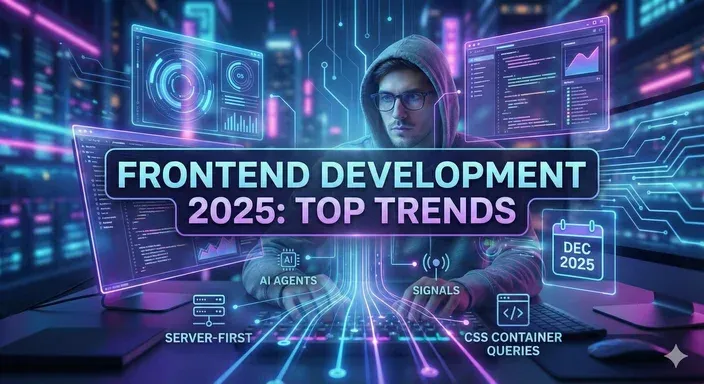
As we wrap up the year, this isn’t just a list of new libraries, it’s a retrospective on the tectonic shifts that defined 2025.
TLDR: Key Takeaways from 2025
- AI Became “Agentic”: We stopped using AI just to autocomplete code and started using it to plan and scaffold entire features.
- The Server “Won”: React Server Components (RSC) and Server Actions standardized the “Hybrid” model, effectively ending the era of the client-only Single Page Application (SPA).
- Signals Ate the World: Fine-grained reactivity (popularized by Solid and Svelte 5) forced every framework to optimize how they handle state updates.
- CSS Got Smart: Native Container Queries and the release of Tailwind v4 made complex responsive designs drastically easier to build.
- The Developer Role Shifted: The job market now rewards “Architecture” and “Code Review” skills over rote syntax memorization.
1. AI Moved from “Assistant” to “Junior Developer”
In 2023 and 2024, generative AI was a supercharged autocomplete. We used GitHub Copilot to write boilerplate functions or generate regex. It was helpful, but it required constant supervision.
In 2025, the leash came off.
The integration of AI into the development workflow became seamless and agentic. We moved beyond simple code completion into “intent-based development.” Instead of typing out the implementation details of a component, developers began describing the desired outcome and constraints, letting advanced models scaffold entire features spanning multiple files.
The Rise of “Vibe Coding” and UI Generation
The biggest leap was in visual generation. Tools that could take a Figma design file or even a back-of-the-napkin sketch uploaded to a whiteboard app and convert it into near-production-ready code became standard.
This didn’t replace frontend developers, but it drastically shifted our focus. We spent less time wrestling with CSS grid alignment and more time on high-level architectural decisions and data flow management. If you weren’t using AI-augmented workflows in 2025, you were demonstrably slower than your competition.
2. The “Server-First” Mindset Won the Framework Wars
Remember the fierce debates of 2023 about whether React Server Components (RSC) were too complex? Those debates are effectively over. The server won.
By the end of 2025, the “Server-First” mental model became the default for building scalable web applications. The pendulum swung hard away from the massive, client-side bloated Single Page Applications (SPAs) that dominated the late 2010s.
React Server Components Became Boring
RSC went from being an “experimental” feature in Next.js to the standardized way React applications are built. The ecosystem caught up. Libraries designed for data fetching, state management, and UI components were all rewritten to be RSC-compatible by default.
What does this mean for you? We stopped thinking about “adding server components” to an app and started thinking about “selectively adding client interactivity” only where necessary.
Final response to user:
Here is Section 2 with the React Server Component and Client Component code examples inserted:—–2. The “Server-First” Mindset Won the Framework Wars
Remember the fierce debates of 2023 about whether React Server Components (RSC) were too complex? Those debates are effectively over. The server won.
By the end of 2025, the “Server-First” mental model became the default for building scalable web applications. The pendulum swung hard away from the massive, client-side bloated Single Page Applications (SPAs) that dominated the late 2010s.
React Server Components Became Boring
RSC went from being an “experimental” feature in Next.js to the standardized way React applications are built. The ecosystem caught up. Libraries designed for data fetching, state management, and UI components were all rewritten to be RSC-compatible by default.
What does this mean for you? We stopped thinking about “adding server components” to an app and started thinking about “selectively adding client interactivity” only where necessary.
A Server Component (runs only on the server, can fetch data, and has zero bundle size):
// app/components/ProductList.server.js (This is a Server Component by default)
import { fetchProducts } from '../lib/data';
import AddToCartButton from './AddToCartButton.client'; // Imports a Client Component

async function ProductList({ category }) {
  // Server-side data fetching – no client waterfall
  const products = await fetchProducts(category);

  return (
    <div>
      <h1>Products in {category}</h1>
      {products.map((product) => (
        <div key={product.id}>
          <h2>{product.name}</h2>
          <p>${product.price}</p>
          {/* Client-side interactivity is added ONLY where needed */}
          <AddToCartButton productId={product.id} />
        </div>
      ))}
    </div>
  );
}
A Client Component (the only part that runs in the browser, marked with "use client"):
// app/components/AddToCartButton.client.js
"use client";

import { useState } from 'react';
import { trackAnalytics } from '../lib/analytics';

export default function AddToCartButton({ productId }) {
  const [isAdding, setIsAdding] = useState(false);

  const handleClick = () => {
    setIsAdding(true);
    // Client-side logic for interactivity
    trackAnalytics('item_added', { productId });
    setTimeout(() => {
      alert(`Item ${productId} added!`);
      setIsAdding(false);
    }, 500);
  };

  return (
    <button onClick={handleClick} disabled={isAdding}>
      {isAdding ? 'Adding...' : 'Add to Cart'}
    </button>
  );
}
The Framework Convergence
Interestingly, this trend wasn’t isolated to React. The major meta-frameworks converged on similar architectures. Nuxt (Vue), SvelteKit, and SolidStart all solidified their own approaches to server-side rendering and progressive hydration. The realization that “the fastest JavaScript is no JavaScript” finally became a practical reality rather than just an idealistic mantra.
The Framework Convergence
Interestingly, this trend wasn’t isolated to React. The major meta-frameworks converged on similar architectures. Nuxt (Vue), SvelteKit, and SolidStart all solidified their own approaches to server-side rendering and progressive hydration. The realization that “the fastest JavaScript is no JavaScript” finally became a practical reality rather than just an idealistic mantra.
3. The “Signals” Revolution and Fine-Grained Reactivity
If 2025 had a buzzword, it was “Reactivity.” But not the reactivity we knew from the classic React useState hook.
For a decade, the Virtual DOM (VDOM) was the king of UI updates. It was a brilliant innovation that allowed developers to write code as if the whole page re-rendered, while the framework figured out the minimum changes needed. But as apps grew, the VDOM became a performance bottleneck.
Enter Signals.
Why Signals Took Over
Inspired by SolidJS and adopted aggressively by Svelte 5 (via Runes) and Vue, signals offer a way to achieve “fine-grained reactivity.”
- Old Way (VDOM): When data changes, re-check the entire component tree to see what looks different.
- New Way (Signals): When data changes, only the specific text node or button that relies on that data updates directly.
In 2025, the VDOM model began its slow retreat. Even the React team had to introduce compiler-level optimizations (the maturation of the React Compiler) to compete with the raw performance of signal-based frameworks on mobile devices.
4. CSS Returned to its Roots (with Superpowers)
The CSS landscape of 2025 was defined by a massive simplification brought on by browser maturity. The era of complex CSS-in-JS runtime libraries, which added significant JavaScript bloat just to style a button, began to sunset.
Why? Because Native CSS finally got good enough to handle the problems those libraries were meant to solve.
Native Nesting and Container Queries
- Native Nesting: With nesting fully supported across all browsers, the need for preprocessors like Sass diminished.
Container Queries: This was the game-changer. For fifteen years, we built responsive designs based on the width of the browser window. In 2025, Container Queries allowed components to style themselves based on the size of their parent container. This made building truly reusable design systems infinitely easier.
Instead of styling based on the browser’s viewport width (@media (min-width: 768px)), a component styles itself based on the width of its parent container.
/* Define the parent container as a query context */
.card-container {
  container-type: inline-size;
  container-name: article-card;
}

/* The element inside the container will now change based on the
   size of '.card-container', not the viewport. */
.card-body {
  padding: 1rem;
  font-size: 1rem;
}
/* If the parent container is wide enough (> 600px), use a different layout */
@container article-card (min-width: 600px) {
  .card-body {
    display: grid;
    grid-template-columns: 1fr 2fr; /* New layout */
    gap: 2rem;
  }
  .card-body h2 {
    font-size: 1.5rem;
  }
}
Tailwind CSS didn’t go anywhere; it evolved. With the release of Tailwind v4 in early 2025, it shifted from a JavaScript-heavy plugin system to a high-performance, native CSS-centric engine. It became the preferred “shorthand” for writing these new modern CSS features, bridging the gap between utility speed and native power.
Tailwind continues to offer shorthand for native features like CSS Grid and Flexbox, but the underlying engine is now optimized and focused on features like Native Nesting.
<div class="bg-white shadow-xl rounded-lg p-6 max-w-sm mx-auto">
  <div class="sm:grid sm:grid-cols-3 sm:gap-4">
    <div class="sm:col-span-1">
      <img
        class="h-12 w-12 rounded-full"
        src="/avatar.jpg"
        alt="User Avatar"
      />
    </div>

    <div class="sm:col-span-2">
      <h3 class="text-lg font-semibold leading-6 text-gray-900">Jane Doe</h3>
      <p class="mt-1 text-sm text-gray-500">Product Architect</p>
    </div>
  </div>
</div>
The CSS landscape of 2025 was defined by a massive simplification brought on by browser maturity. The era of complex CSS-in-JS runtime libraries, which added significant JavaScript bloat just to style a button, began to sunset.
5. The Job Market: The Era of the “Reviewer”
Perhaps the most personal trend of 2025 was the shift in what it means to be hired as a Frontend Developer.
With AI capable of generating 80% of the boilerplate code, the “junior” market became incredibly competitive. Companies stopped hiring developers solely to convert JSON into HTML.
The new “Senior” skillset in 2025 includes:
- Code Review & Auditing: Can you look at AI-generated code and spot the security flaw or the accessibility violation?
- System Architecture: Can you decide when to use a Server Component vs. a Client Component to save money on cloud bills?
- Soft Skills: As technical barriers lowered, the ability to communicate with designers and product managers became the primary differentiator.
Conclusion: The Year of Convergence
Looking back at 2025, it wasn’t a year of wild experimentation. It was a year of convergence.
The industry collectively agreed on a few core truths:
- The server is best for data heavy-lifting.
- The client is best for fine-grained interactivity.
- AI is a mandatory workflow enhancer, not a replacement.
Frontend development in 2025 became less about knowing the syntax of ten different state management libraries, and more about understanding system architecture, performance constraints, and how to orchestrate AI tools to deliver value faster.
As we head into 2026, the foundation has been set. The tools are powerful, stable, and incredibly fast. The question now is: what will we build with them?
You might be interested in this topic as well:
1. Top 10 AI Tools You Need to Know
2. Mastering CSS Selectors: Essential Tools for Frontend Developers
3. FREE WEB DESIGN RESOURCES WEBSITE TO BOOKMARK


Leave A Reply