


In the digital era, visuals are the heartbeat of online content. Whether you are a blogger, a web developer, or a digital marketer, the temptation to simply “right-click and save” an image from a Google search is immense. However, most users are operating under a dangerous misconception: that if an image appears in a Google search, it is free for public use.
The reality is far more complex and legally high-stakes. Using images without proper authorization can lead to “cease and desist” letters, expensive settlement demands, or even full-scale lawsuits from photographers and agencies. This guide provides an in-depth look at the evolution of Google Images and, most importantly, a step-by-step blueprint on how to navigate the platform safely to avoid copyright infringement.
The Evolution of Google Images: From a Dress to a Database
To understand how to use Google Images safely, it is fascinating to look at why the service exists in the first place. Google Images wasn’t part of the original search engine launch. It was actually born out of a specific pop-culture moment that changed the internet forever.
On July 12, 2001, Google officially introduced its image search feature. The catalyst? Jennifer Lopez’s green Versace dress worn at the 2000 Grammy Awards. At the time, Google was purely text-based. When millions of users flocked to the search bar to see the iconic dress, they were met with a list of blue links, none of which showed the actual photo. Google’s engineers realized that text results were no longer sufficient for the visual needs of the modern user.
Since that day, Google Images has undergone a massive transformation. It has grown from a simple gallery to a sophisticated AI-driven tool. Today, it features:
- Reverse Image Search: The ability to drag and drop an image to find its source and similar visuals.
- AI Integration: Enhanced object recognition and contextual understanding.
- Usage Rights Filters: The specific tool we will use to avoid legal trouble.
With over 10 billion images indexed in its database, Google serves as the world’s most comprehensive library of visuals. However, it is vital to remember: Google does not own these images. It is merely a search engine that indexes them. The ownership remains strictly with the original creators or publishers.
The Legal Reality: Why You Can’t Just “Borrow” Images
When you pull an image from Google without checking its license, you are essentially walking into someone else’s gallery and taking a painting for your own house. Under international copyright law, a creative work (like a photograph) is protected the moment it is “fixed in a tangible medium.” This means a photographer doesn’t even need to register their work for it to be legally theirs.
If you use a copyrighted image on your blog or business website:
- Copyright Trolls: There are legal firms that use automated software to scan the web for unlicensed images. They will send you a bill for thousands of dollars regardless of whether your use was intentional.
- DMCA Takedowns: The original owner can contact your hosting provider to have your entire website taken down.
- SEO Impact: Google prioritizes original and legally sourced content. Using “stolen” images can negatively affect your search rankings.
How to Use Google Images Without Copyright: Step-by-Step
Fortunately, Google has integrated tools that allow you to filter results based on their licensing. If you follow these steps, you can find high-quality images that are legally safe to use.
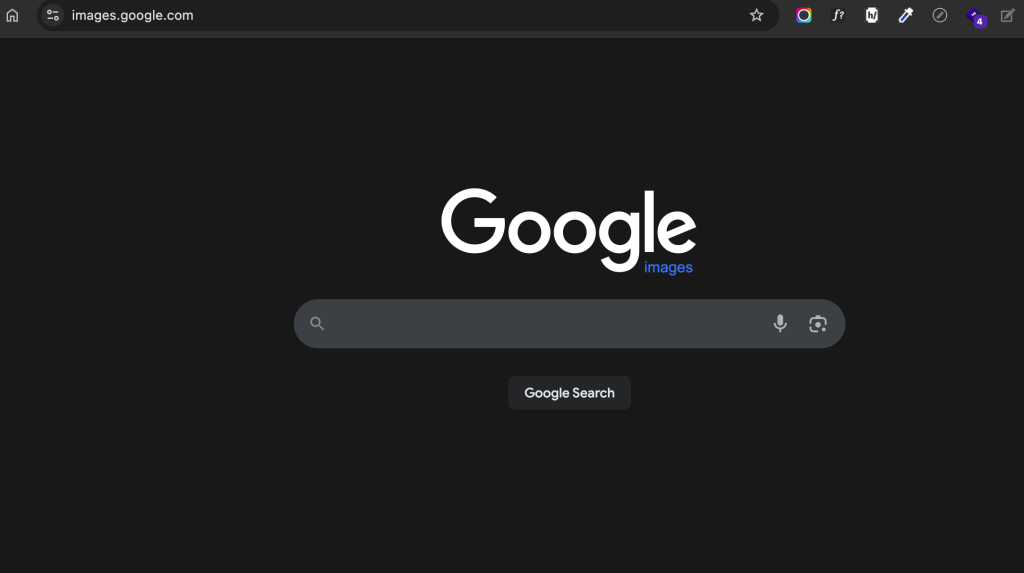
Step 1: Perform Your Initial Search
Go to Google Images and type in your desired keyword. At this stage, the results will include every image indexed—most of which are strictly copyrighted and “All Rights Reserved.”
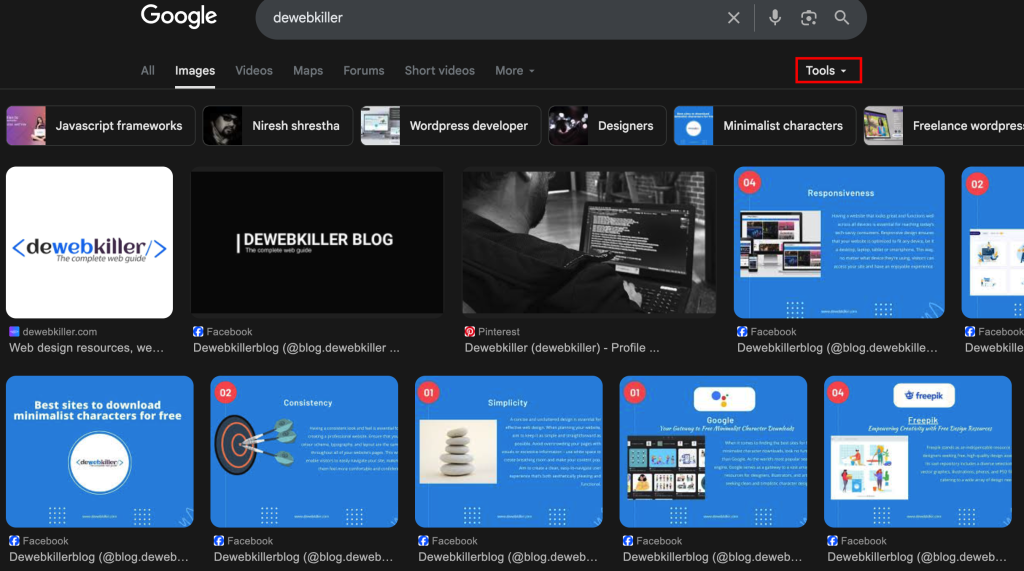
Step 2: Access the “Tools” Menu
On the search results page, look just below the search bar. You will see a button labeled “Tools.” Clicking this will expand a secondary menu with options like Size, Color, Type, and Time.
Step 3: Filter by “Usage Rights”
Click on the “Usage Rights” dropdown. You will typically see two main categories:
- Creative Commons Licenses: These images are usually free to use, though they may require you to give credit (attribution) to the original creator.
- Commercial & Other Licenses: These images are often from stock photo sites (like Getty or Adobe Stock) and require a paid license for use.
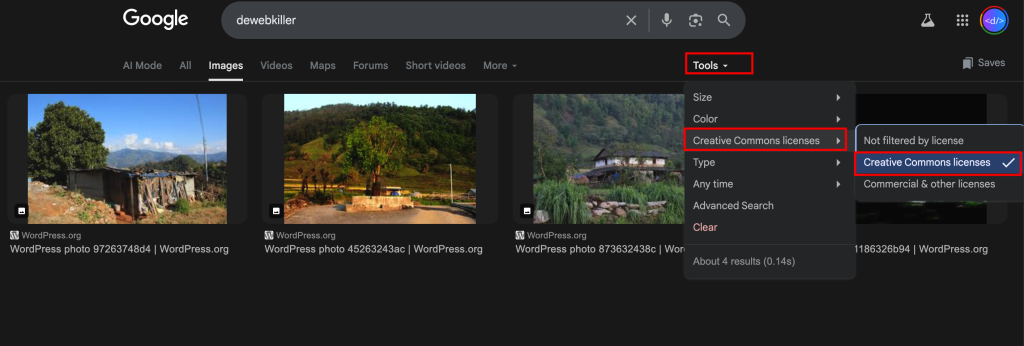
For most bloggers and small business owners, you should select Creative Commons Licenses.
Step 4: Verify the Source
Never trust the filter blindly. Once you find an image you like, click on it to visit the website where it is hosted. Check for a specific license (e.g., CC0, CC-BY, or CC-BY-SA).
- CC0 (Public Domain): You can use it for anything without credit.
- CC-BY (Attribution): You can use it, but you must link back to the author.
All the images shown now are free to use in your website of blog or wherever you want. There won’t be any copyright issue.
Alternatives to Google Images
While Google’s filtering tools are helpful, they aren’t always 100% accurate. If you want to be completely safe, it is often better to use dedicated “Royalty-Free” image repositories. These sites provide high-resolution photos with clear licensing.
You might be interested in this topic as well:
1. TOP WEBSITES FOR FREE STOCK PHOTOGRAPHS
2. HOW TO DOWNLOAD SHUTTERSTOCK IMAGES FOR FREE?
3. FREE WEB DESIGN RESOURCES WEBSITE TO BOOKMARK


Leave A Reply