

A slow website loses visitors fast. Studies show that most people abandon a page if it takes longer than three seconds to load. This holds true whether it’s a personal portfolio, a business website, an online store, or a freelancer’s client-facing site. If your WordPress site handles thousands of daily visitors, a weak hosting plan will not survive the pressure. Your pages will lag, your server will choke during traffic spikes, and your rankings will drop.
This guide breaks down what actually makes WordPress hosting fast, which providers perform best under heavy load, and how you can choose a plan that keeps your site quick even when traffic surges. Whether you run an ecommerce store, a news site, or a growing blog, you will find practical direction here.
What Does “Fast Hosting” Actually Mean?
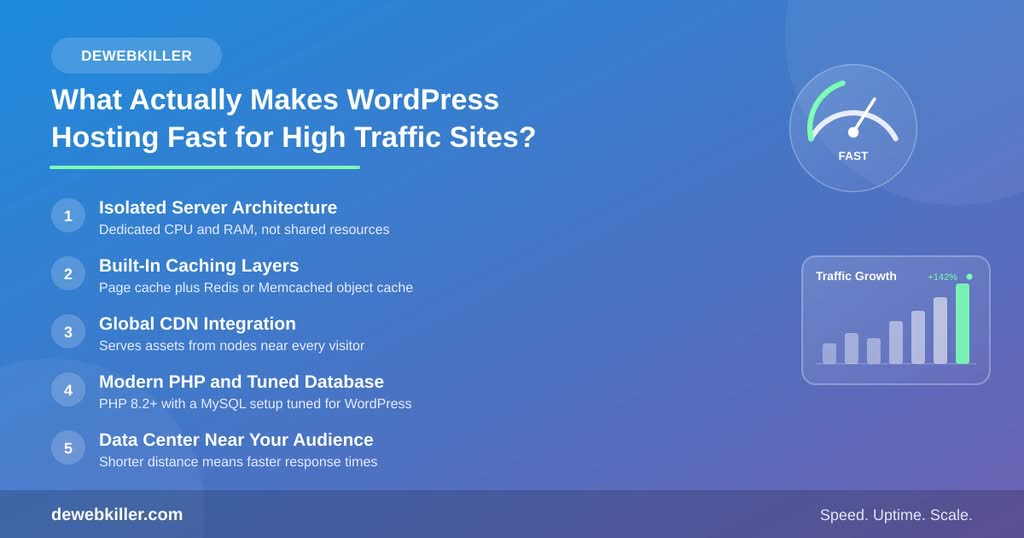
Speed does not come from a single feature. It comes from how several parts of a server work together under real traffic. Before you compare providers, you need to understand the building blocks that separate fast hosting from average hosting.
You might be interested in : Best Managed WordPress Hosting for Agencies
Server Architecture
Shared hosting places hundreds of websites on one server. As a result, your site competes for CPU and memory with every other account on that machine. High traffic sites need dedicated resources instead. Look for hosts that offer isolated containers, LXD, or dedicated CPU cores so a traffic spike on another site never slows yours down.
Caching Layers
Full page caching, object caching, and opcode caching all reduce the number of times your server has to process a PHP request from scratch. A host that includes built-in Redis or Memcached object caching will noticeably outperform one that relies only on browser caching.
Content Delivery Network Integration
A CDN stores copies of your static files on servers around the world. When a visitor in Singapore loads your site, they pull data from a nearby node instead of your origin server in Virginia. This cuts load time significantly, especially for global audiences. The best WordPress hosts bundle a CDN directly into their plans instead of forcing you to configure one separately.
PHP and Database Optimization
Modern PHP versions process requests far faster than older ones. Hosts that default to PHP 8.2 or higher, and that tune MySQL or MariaDB for WordPress workloads, consistently post better benchmark results. If a host still defaults to an outdated PHP version, treat that as a warning sign.
Server Location and Network
Your server’s physical location matters more than most site owners realize. Choose a host with data centers close to your core audience. Additionally, check whether the provider uses a premium network backbone like Google Cloud Platform or a private fiber network, since this affects how quickly data travels between your server and the wider internet.
Why Traffic Spikes Break Cheap Hosting
Many hosting plans look fine during a demo but collapse the moment real traffic arrives. This usually happens for three reasons.
First, shared hosting plans cap your CPU and memory usage. Once you hit that ceiling, your site either slows dramatically or returns server errors. Second, budget hosts often oversell server capacity, packing far more accounts onto a single machine than it can comfortably support. Third, many entry-level plans lack autoscaling, so a sudden spike from a viral post or a product launch has nowhere to go.
If you expect steady high traffic or unpredictable spikes, you need a host built for scale. Otherwise, you will end up migrating under pressure, which is a stressful and risky process.
Top Hosting Options for High Traffic WordPress Sites
The following providers consistently perform well in independent load tests and real-world use cases. Each one takes a different approach, so consider your budget, technical comfort level, and traffic pattern before choosing.
Kinsta
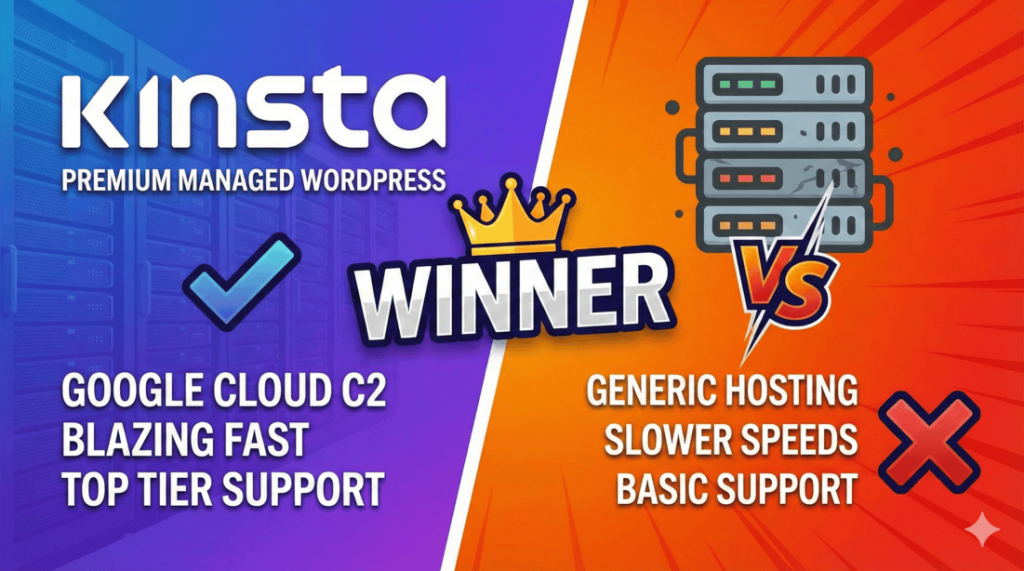
Kinsta runs on Google Cloud Platform’s premium tier network and uses container-based architecture, which means each site gets its own isolated environment. This setup handles traffic spikes gracefully because one site’s surge cannot pull resources away from another. Kinsta also includes built-in edge caching and a free CDN across all plans. The tradeoff is price, since Kinsta sits at the higher end of the market. However, for agencies and businesses that cannot afford downtime, the performance justifies the cost.
WP Engine
WP Engine has built its reputation on enterprise-grade WordPress hosting. It includes a proprietary caching engine called EverCache, along with a global CDN and automatic scaling for traffic surges. WP Engine also offers dedicated environments for large publishers and ecommerce brands. Support response times are fast, and the platform integrates well with staging workflows, which matters for teams pushing frequent updates.
Cloudways
Cloudways takes a different approach by letting you choose your underlying cloud provider, including DigitalOcean, Vultr, Linode, or AWS. This flexibility means you can scale server resources up or down based on actual demand instead of being locked into a fixed tier. Cloudways also includes built-in Redis, Varnish, and Memcached, which gives you fine control over caching. For developers who want more customization without managing raw server infrastructure, Cloudways offers a strong middle ground between shared hosting and a fully managed platform.
Rocket.net
Rocket.net has gained traction quickly by combining a full Cloudflare Enterprise integration with every plan. This means your site benefits from a massive global CDN network and strong DDoS protection by default. Rocket.net focuses heavily on Core Web Vitals performance, which makes it a strong choice for sites that prioritize both speed and search ranking factors.
SiteGround
SiteGround remains a solid option for growing sites that are not yet at enterprise scale. It uses NGINX-based caching, custom-built server technology, and a strong uptime record. While SiteGround’s highest tiers cannot match Kinsta or WP Engine for pure raw power, its GoGeek and cloud plans handle moderate to high traffic well, and the pricing is more approachable for smaller businesses.
How to Test Hosting Speed Before You Commit
Marketing pages rarely tell the full story. Instead, run your own tests before signing a contract.
Start by requesting a trial or a money-back guarantee period from the host. Most reputable providers offer at least 30 days. During that window, install a realistic version of your site, including your actual theme, plugins, and sample content. A bare test install will not reflect how your real site performs.
Next, use tools like Google PageSpeed Insights, GTmetrix, or Pingdom to measure Time to First Byte and Largest Contentful Paint. These metrics reveal how quickly the server responds and how fast the main content becomes visible. Finally, simulate load using a tool like k6 or Loader.io to see how the server behaves under simultaneous visitor traffic, not just a single page load.
Features to Prioritize When Comparing Plans
When you evaluate hosting providers side by side, focus on the following factors rather than marketing buzzwords.
Look for guaranteed CPU and RAM allocation instead of vague “unlimited resources” claims. Check whether the host includes a CDN and object caching by default, since add-ons often cost extra later. Confirm the availability of staging environments, since testing updates safely matters for busy sites. Review the uptime guarantee and what compensation applies if the host fails to meet it. Finally, examine the support channels, since live chat with actual WordPress engineers is far more valuable than a generic ticket queue during a traffic emergency.
Common Mistakes Site Owners Make
Many site owners choose hosting based on price alone, then discover the plan cannot handle their actual traffic. Others install too many plugins without checking their performance impact, which slows the site regardless of how strong the hosting is underneath. A third mistake involves skipping a content delivery network entirely, which hurts international visitors the most.
To avoid these pitfalls, treat hosting as an investment rather than a recurring expense to minimize. A few extra dollars per month on the right plan often saves far more in lost conversions, lower rankings, and emergency migration costs down the road.
Migrating Without Downtime
If you already have a high traffic site and need to move to faster hosting, plan the migration carefully. Most premium hosts offer free migration services handled by their own team, which reduces the risk of errors. Schedule the switch during your lowest traffic window, and keep the old server active until you confirm DNS propagation has fully completed. Afterward, monitor your site closely for at least 48 hours to catch any caching or configuration issues early.
Frequently Asked Questions
What is the fastest WordPress hosting for high traffic sites?
Kinsta, WP Engine, Cloudways, and Rocket.net consistently rank among the fastest options because they use container-based architecture, built-in CDNs, and dedicated resources rather than shared server capacity.
How much traffic can shared hosting handle?
Shared hosting typically struggles once a site regularly exceeds a few thousand daily visitors, since it competes for limited CPU and memory with other accounts on the same server.
Does a CDN really make WordPress faster?
Yes. A CDN stores static files closer to your visitors around the world, which reduces load time significantly, especially for international audiences accessing your site from far away regions.
Is managed WordPress hosting worth the extra cost?
For high traffic or business-critical sites, managed hosting is worth it because it includes built-in caching, security monitoring, and support from engineers who specialize in WordPress performance.
What PHP version should I use for the fastest performance?
PHP 8.2 or higher offers noticeably better performance than older versions, so confirm your host defaults to a current release before committing to a plan.
Final Thoughts
Choosing the fastest WordPress hosting for high traffic sites comes down to matching your real traffic patterns with a host built to handle them. Shared hosting works for small blogs, but it will not survive sustained growth or sudden spikes. Providers like Kinsta, WP Engine, Cloudways, and Rocket.net offer the architecture, caching, and network performance that high traffic sites actually need.
Before you commit, test the hosting yourself with your real site setup, measure the results with reliable tools, and confirm the provider offers the support you will need during a traffic surge. A fast, stable host will not just protect your site during growth. It will also strengthen your search rankings and keep your visitors coming back.