

Building a website today is radically different from what it was a decade ago. Initially, launching a functional WordPress website required a deep understanding of PHP, HTML, CSS, and JavaScript. However, the ecosystem shifted dramatically with the introduction of drag-and-drop page builders. Suddenly, anyone could build a visually stunning website without writing a single line of code.
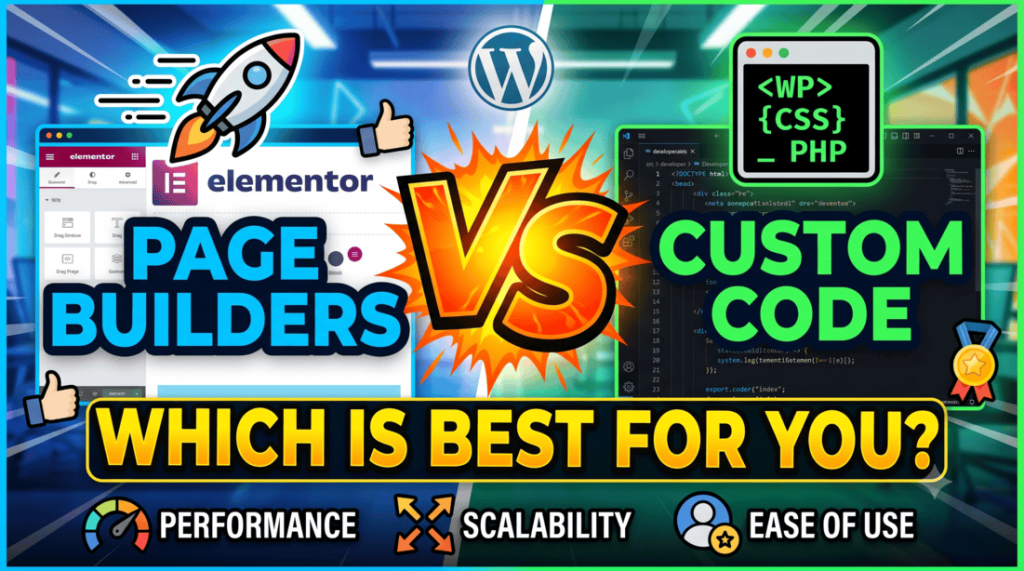
This technological shift has sparked an ongoing debate among developers, business owners, and agency owners: Page Builders vs Custom Code: Which is best for your WordPress site? While page builders offer unmatched speed and accessibility, custom coding provides absolute control, ultimate performance, and limitless scalability. Choosing the wrong approach can lead to future headaches, expensive redesigns, or a painfully slow website. This comprehensive guide will break down both methods, compare them across critical metrics, and help you make the right choice for your specific project.
Understanding the Contenders
Before diving into the direct comparison, we must define what each approach truly entails in the modern WordPress landscape.
What are WordPress Page Builders?
Page builders are plugins or built-in tools that allow users to design websites visually. Instead of editing theme files directly, you drag and drop components like text blocks, images, sliders, and contact forms into a site.
The WordPress ecosystem features two main types of builders:
- Block Editors (The Native Approach): WordPress Gutenberg is the default block editor. It has evolved into a full-site editing (FSE) ecosystem, blurring the lines between core WordPress and third-party tools.
- Third-Party Page Builders: Plugins like Elementor, Divi, Beaver Builder, and Bricks Builder offer advanced layout controls, pre-designed templates, and extensive widget libraries.
What is Custom Code in WordPress?
Custom coding means building a WordPress site from scratch or using minimal, developer-focused starter themes (like Underscores or Sage). Developers write clean, semantic PHP, HTML, CSS, and JavaScript. They leverage the native WordPress Hook API (actions and filters) to create custom post types, custom fields (often using Advanced Custom Fields), and bespoke functionalities without relying on bulky third-party visual plugins.
When to Use a WordPress Page Builder
Page builders are not just for amateurs. Many professional agencies rely on them to streamline their production pipelines. Here are the scenarios where a page builder shines:
1. Tight Deadlines and Rapid Prototyping
If you need to launch a landing page by tomorrow or a complete business website within a week, custom coding is out of the question. Page builders enable rapid deployment. You can import pre-built sections, tweak the content, and push the site live in a fraction of the time it takes to code a custom theme.
2. Low to Moderate Budgets
Custom development is a premium service because it requires highly specialized labor. For a small local business, a startup, or a personal blog, investing thousands of dollars in a custom theme rarely makes financial sense. A page builder allows you to achieve a professional aesthetic at a minimal cost.
3. Clients Want Full Content Control
Many clients prefer to manage their websites independently after launch. If a client needs to frequently change layouts, add new promotional banners, or build entirely new landing pages without hiring a developer, a page builder provides the perfect visual playground.
When to Choose Custom Code
Despite the convenience of visual tools, custom development remains the gold standard for high-end, mission-critical web applications. You should opt for custom code in the following situations:
1. Enterprise-Level Scalability and Performance
When a website receives millions of visitors monthly, every millisecond of loading time impacts revenue. Large e-commerce platforms, media outlets, and enterprise corporate portals require lean codebases. Custom sites load incredibly fast because they execute only the exact scripts required for that specific page.
2. Complex, Non-Standard Functionality
If your project requires deep integration with third-party APIs, unique user dashboards, intricate membership structures, or bespoke database queries, a page builder will quickly become a bottleneck. Custom code allows you to build features tailored precisely to your business logic.
3. Strict Brand Guidelines and Pixel-Perfect Design
High-end brands demand unique digital experiences that do not look like a generic template. Page builders have inherent constraints. If your design team hands you a highly creative, asymmetrical, animation-heavy UI/UX layout, writing custom CSS and JavaScript (using libraries like GSAP) is often the only way to execute it flawlessly.
Deep Dive: Advantages and Disadvantages
To truly evaluate Page Builders vs Custom Code WordPress, let us weigh the pros and cons of each side side-by-side.
Page Builders
The Advantages:
- Zero Coding Required: Anyone can learn the basics within a few hours.
- Visual Feedback: You see exactly what the page looks like while editing (WYSIWYG).
- Vast Template Ecosystem: Access thousands of pre-made layouts designed by professionals.
- Inexpensive Entry Barrier: Most premium builders cost less than a few hundred dollars per year.
The Disadvantages:
- Code Bloat: Builders generate excessive HTML wrappers, nested divs, and redundant CSS/JS files to make the drag-and-drop mechanics work.
- Plugin Dependency: Your design is permanently tied to the plugin. If the plugin fails or is abandoned, your layout can break completely.
- The “Lock-In” Effect: Deactivating certain page builders leaves behind a mess of unrendered shortcodes, forcing a complete site rebuild.
Custom Code
The Advantages:
- Unrivaled Performance: Extremely clean code leads to lightning-fast load times and excellent Core Web Vitals scores.
- Total Security Control: Fewer third-party plugins mean a vastly reduced attack surface for hackers.
- Design Freedom: There are absolutely no constraints on layout, typography, interactivity, or functionality.
- Long-Term Maintainability: Well-written, standard-compliant WordPress code can function smoothly for years without breaking during core updates.
Hire Freelance WordPress Developer to develop you Custom WordPress site.
The Disadvantages:
- High Initial Cost: Hiring skilled frontend and backend developers requires a significant financial investment.
- Slower Time-to-Market: Designing, coding, testing, and debugging a site from scratch takes weeks or months.
- Developer Dependency: Small content updates or minor design tweaks often require ongoing developer support, which can increase long-term maintenance costs.
The Awesome site built wtih custom code: Trekking Activities Nepal
Head-to-Head Comparison Metrics
Let us analyze how these two approaches perform under the microscope across five critical pillars of web development.
| Metric | Page Builders | Custom Code |
| Performance & Speed | Poor to Moderate (Requires heavy optimization) | Excellent (Lean, clean, and optimized out-of-the-box) |
| Scalability | Limited (Can lag under massive content/traffic) | High (Built to handle enterprise loads easily) |
| Ease of Use (Non-Tech) | Excellent (Intuitive visual drag-and-drop) | Poor (Requires HTML/CSS knowledge for structural changes) |
| Development Speed | Fast (Hours or days) | Slow (Weeks or months) |
| Initial Cost | Low | High |
1. Performance and Speed
Performance is a vital ranking factor for modern SEO. Page builders inherently suffer from “code bloat.” When you add a simple button via a page builder, the software often wraps that button in multiple layers of generic container divs, while loading an entire library of styles and scripts that your page might not even use.
Conversely, a developer writing custom code will write a single, clean HTML <button> tag and style it with a few lines of CSS. Consequently, custom-coded sites easily achieve perfect scores on Google PageSpeed Insights, whereas page builder sites require aggressive caching, asset minification, and expensive hosting to achieve comparable results.
2. Scalability and Longevity
As your business expands, your website must adapt. If you build your site with a page builder, adding hundreds of pages or thousands of e-commerce products can cause the database to bloat. Page builders store layout configurations within the WordPress database, which can slow down database queries over time.
Custom sites store their layout logic safely within theme files, keeping the database incredibly lean. Therefore, when you need to update a design element across ten thousand product pages on a custom site, you simply modify a single template file. Doing the same on an unoptimized page builder site can turn into a logistical nightmare.
3. SEO (Search Engine Optimization)
Search engines favor websites that load quickly and feature clean, semantic HTML hierarchy. While you can certainly rank a page builder site by utilizing plugins like Yoast SEO or Rank Math, custom code gives you a distinct structural advantage.
Clean code makes it effortless for search engine crawlers to parse your text and understand your content hierarchy. Furthermore, the superior loading speeds of custom-coded sites directly boost your performance in Google’s mobile-first index, as page speed significantly influences mobile rankings.
4. Security Risks
WordPress itself is highly secure, but vulnerabilities usually slip in through third-party themes and plugins. Because page builders are massive software packages, they present a wider surface area for potential security flaws. If a major exploit is discovered in a popular page builder plugin, millions of sites instantly become vulnerable until a patch is applied.
Custom sites minimize this risk by relying on very few external dependencies. By writing secure, native WordPress code and avoiding unnecessary plugins, your site remains robust, stable, and highly resistant to automated bot attacks.
Finding the Middle Ground: Hybrid Workflows
The choice between page builders and custom code does not always have to be binary. Today, many forward-thinking developers and agencies successfully merge both worlds to achieve optimal results through hybrid workflows.
1. Custom Gutenberg Blocks
Instead of installing a heavy third-party page builder, developers can use the native WordPress block editor to build bespoke blocks. By using tools like Advanced Custom Fields (ACF) Pro or native React, a developer can program custom, high-performance blocks tailored to a brand’s design system. This approach grants the client an intuitive drag-and-drop editing experience while ensuring the underlying code remains incredibly clean, semantic, and blindingly fast.
2. Custom Coding Inside Premium Builders
Advanced page builders like Bricks Builder or Elementor Pro allow users to inject custom CSS, custom PHP functions, and raw HTML directly into specific elements. A developer can build the general structure using the page builder to save time, and then manually optimize critical components with custom code to maximize layout performance.
Final Verdict: Which Approach Should You Choose?
To make your final decision simple, follow these clear guidelines based on your current business goals and resources.
Choose a Page Builder If:
- You are an individual, freelancer, or small business with a limited budget.
- You need to validate a business idea quickly and launch a website within days.
- Your primary focus is content marketing, and you need to build fresh marketing landing pages every week without technical assistance.
- You are already comfortable working with tools like Elementor or Gutenberg and want to maintain absolute control over every design tweak.
Choose Custom Code If:
- You are building a premium brand identity, an enterprise corporate portal, or a high-volume WooCommerce storefront.
- Exceptional website performance, instant loading speeds, and perfect mobile optimization are non-negotiable requirements for your business.
- Your site requires complex data manipulation, custom user roles, or deep integrations with proprietary external software.
- You want an asset that retains its long-term value, scales seamlessly, and minimizes your reliance on fluctuating third-party plugin ecosystems.
Ultimately, neither approach is universally superior. The ideal choice hinges entirely on balancing your budget, your timeline, and your performance expectations. Analyze your project requirements carefully, assess your technical capabilities, and select the methodology that best positions your WordPress site for sustainable long-term success.
You might be interested in this topic as well:
1. Best CSS Animation Libraries
2. 5 ADVANCED CSS TRICKS TO ENHANCE YOUR WEB DESIGN
3. FREE WEB DESIGN RESOURCES WEBSITE TO BOOKMARK