


Best Site for Website Speed Test in 2026 (10 Free Tools Compared)
Website speed still decides whether a visitor stays or leaves. Consequently, developers, marketers, and IT teams keep searching for the best site for website speed test results they can trust. A one-second delay can quietly cost you conversions, while a fast-loading page keeps visitors engaged and helps your user experience stay smooth from click to checkout.
In addition, page speed now shapes your search rankings directly. Google measures three specific signals, known as Core Web Vitals, and uses them as ranking factors. Therefore, choosing the right speed test tool is no longer optional; it is the first step toward a faster, more profitable website.
Below, we compare the ten most reliable free tools for testing website speed in 2026, along with what each one does best.

Why Website Speed Still Matters in 2026
Before you pick a tool, it helps to understand what you are actually testing. Google no longer scores your site on load time alone. Instead, it evaluates three Core Web Vitals:
- Largest Contentful Paint (LCP): measures how quickly your main content appears on screen.
- Interaction to Next Paint (INP): measures how fast your site responds when someone clicks, taps, or scrolls.
- Cumulative Layout Shift (CLS): measures whether elements jump around while the page loads.
Because these three metrics now drive both rankings and user satisfaction, the tools below focus heavily on Core Web Vitals rather than a single speed score.
1. Google Page Speed Insights
Google PageSpeed Insights remains the most trusted starting point, mainly because it uses Google’s own Lighthouse engine plus real-world Chrome User Experience Report (CrUX) data. As a result, you see both a lab test and how actual visitors experience your site.
The tool grades your page from 0 to 100 for desktop and mobile separately, and it flags specific fixes such as unoptimized images, render-blocking scripts, or oversized CSS. A mobile report also checks tap-target sizing and font legibility under the “User Experience” section, which makes it especially useful for responsive design testing.

Best for: a fast, authoritative first check that shows exactly what Google sees.
2. Gtmetrix
GTmetrix combines Lighthouse data with its own performance grading system, then presents everything in an easy-to-read waterfall chart. Consequently, you can pinpoint the exact request that slows your page down.
The free plan tests from a single location, while the paid tiers unlock multiple test regions, historical tracking, and alerts when performance drops after a deploy. Because the interface stays beginner-friendly while still offering technical depth, GTmetrix works well for both marketers and developers.

Best for: visual waterfall analysis and tracking speed changes over time.
3. Pingdom Tools
Pingdom gives you a clean summary that includes a performance grade, load time, page size, and the number of requests, broken down by content type and domain. You can also choose a test server from several countries, which helps if your audience is spread across regions.
Since the report lets you inspect individual HTTP request and response headers, Pingdom suits anyone who wants a quick grade without sacrificing technical detail.

Best for: a clear summary view plus multi-location testing.
4. WebPageTest
WebPageTest remains the deepest diagnostic tool on this list. It lets you test from more than 40 global locations across multiple browsers, including Chrome, Firefox, and Edge, and it supports advanced options like connection throttling, scripted user journeys, and video comparisons of page loads.
Because the reports are highly technical, WebPageTest suits developers who need granular control rather than a quick score.

Best for: advanced, configurable performance diagnostics.
5. KeyCDN Website Speed Test
KeyCDN’s Website Speed Test offers 14 test locations worldwide and lets you make results private or public. The report includes a waterfall breakdown along with a visual preview of how your page rendered, plus totals for request count and page weight.
The tool also performs well on mobile devices, which makes it a solid lightweight alternative when you need a quick check without creating an account.

Best for: quick, no-login speed checks with global test locations.
6. DebugBear
DebugBear has grown into one of the strongest options for ongoing monitoring rather than a single test. It tracks Core Web Vitals continuously, compares performance before and after each deployment, and alerts your team the moment a page regresses.
Because it blends synthetic lab tests with real-user monitoring, DebugBear suits teams that want to catch speed problems before customers notice them.
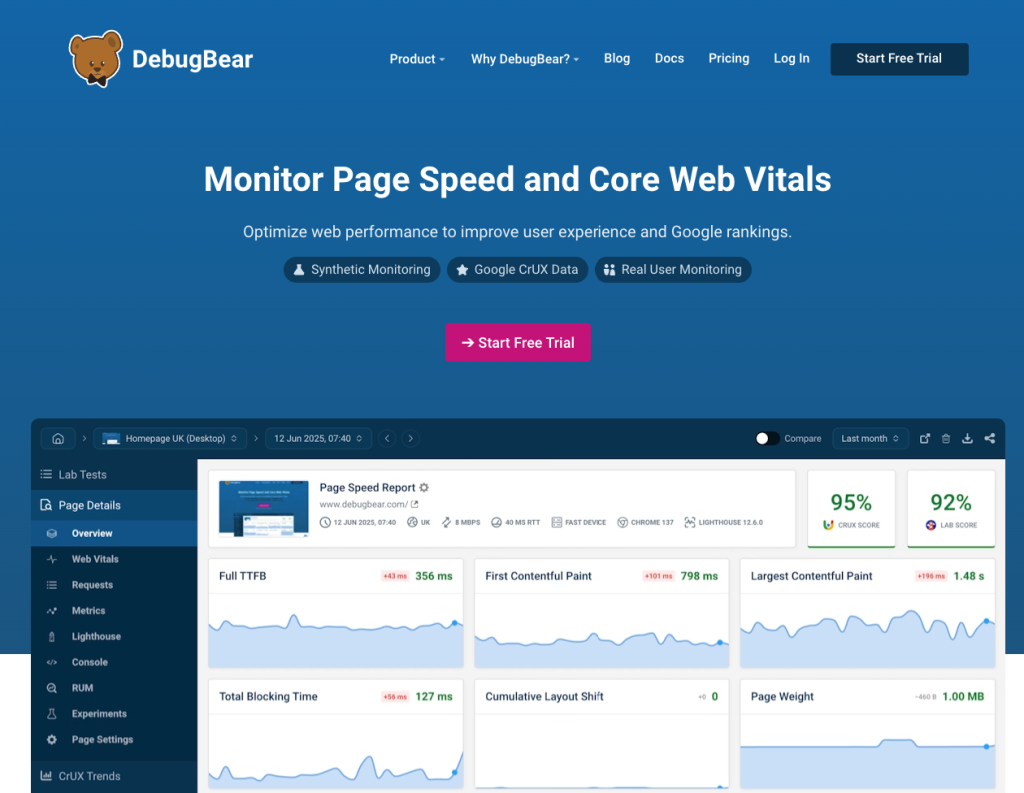
Best for: continuous Core Web Vitals monitoring for teams.
7. Uptrends Website Speed Test
Uptrends keeps its interface simple while still offering more than 35 test locations. The report splits into a waterfall breakdown and a domain-group view, which categorizes resources into first-party, third-party, CDN, ads, and social content.
This grouping makes it easier to see exactly which third-party scripts, such as ad networks or chat widgets, are dragging your load time down.

Best for: identifying which third-party scripts slow your site.
8. Dotcom-Tools Website Speed Test
Dotcom-Tools runs your test from 23 locations and seven browsers simultaneously, so you get a full geographic picture in one pass instead of running separate tests per region. The report then breaks down into summary, performance, waterfall, host, and error sections.
Best for: simultaneous global testing without repeating the process manually.
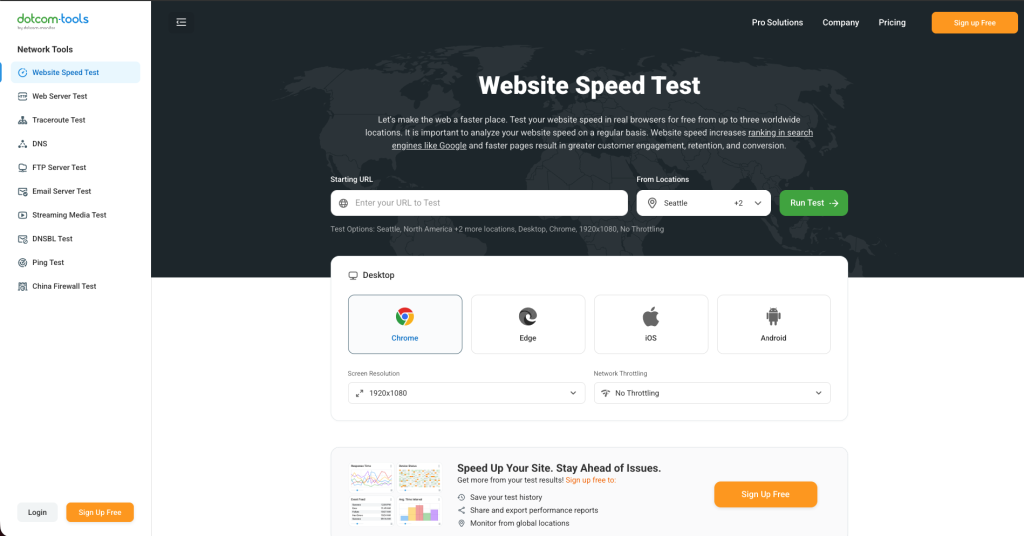
9. Site24x7 Website Speed Test
Site24x7’s speed test looks beyond your front-end code and factors in server and hosting performance too. Since your host directly affects load time, this tool pairs well with a review of your fastest WordPress hosting options if your server keeps showing up as a bottleneck.
Best for: teams that suspect server or hosting issues rather than front-end code.
10. Google Search Console (Core Web Vitals Report)
Search Console does not run a one-time test; instead, it shows how your real visitors experienced your site over the past 28 days, grouped by URL pattern and device type. Because this data comes directly from Chrome users, it reflects real-world performance rather than a lab simulation, and it is the same field data Google uses when evaluating your rankings.
Best for: free, long-term, real-user Core Web Vitals tracking.

How to Choose the Right Tool for Your Site
With so many options, the right choice depends on what you actually need:
- For a quick, authoritative check: start with Google PageSpeed Insights.
- For visual, easy-to-share reports: choose GTmetrix or Pingdom.
- For deep technical diagnosis: use WebPageTest.
- For ongoing monitoring across deploys: use DebugBear.
- For real-world, long-term data: rely on Google Search Console.
Rather than picking just one, most experienced teams combine two or three tools. For example, you might run PageSpeed Insights for a quick benchmark, confirm the results with GTmetrix, and then track long-term trends in Search Console.
Once you know where your site is slow, the next logical step is fixing the underlying causes, whether that means optimizing images, reviewing your WooCommerce performance, or cleaning up malware and bloated plugins that quietly slow WordPress sites down.
Frequently Asked Questions
What is the best site for a website speed test in 2026?
Google PageSpeed Insights is the best overall choice because it combines lab testing with real-user Core Web Vitals data for free. GTmetrix and WebPageTest are strong alternatives when you need deeper technical detail.
Which website speed test tool is completely free?
PageSpeed Insights, GTmetrix, Pingdom, WebPageTest, KeyCDN, Uptrends, and Google Search Console all offer free testing, though some limit test locations or historical tracking on their free tiers.
What are Core Web Vitals?
Core Web Vitals are three Google ranking signals: Largest Contentful Paint (loading speed), Interaction to Next Paint (responsiveness), and Cumulative Layout Shift (visual stability). Together, they measure real user experience rather than a single load-time number.
How fast should a website load?
Most visitors expect a page to load within two to three seconds. Beyond four seconds, bounce rates rise sharply, so aim for an LCP under 2.5 seconds for a good user experience.
Does website speed affect SEO rankings?
Yes. Google uses Core Web Vitals as a direct ranking factor, so a faster site can improve both your search visibility and your conversion rate.
Conclusion
Website speed testing has moved well beyond a single 0-to-100 score. In 2026, the best site for website speed test results is the one that reports Core Web Vitals accurately and matches how you plan to use the data, whether that means a quick one-time check, deep technical diagnosis, or continuous monitoring. Start with PageSpeed Insights, cross-check with GTmetrix or WebPageTest, and keep an eye on Search Console for real-world trends over time.
You might also find these related guides useful: